A Debian server at home: what is closed, what is open
How to check from another device what is closed and what is open on a home Debian server with Docker: SSH by key only, ufw, a Docker port that bypasses ufw, file permissions, a backup checked by restoring it, and manual updates.
- Format
- PDF EN + RU, 20 pages
- Files
- Configs, backup script, commands
- Stack
- SSH · ufw · Docker · Cloudflare Tunnel · rsync
- Server
- Debian 13, Docker 29.9.2
A case study of a home Debian server with Docker, n8n behind Cloudflare Tunnel and a backup to a USB drive. I believed the server was locked down; checks from another device showed password login over SSH, no firewall installed and group-writable configuration files. The case shows how I found this, how I fixed it and how I checked the fixes.
What’s inside
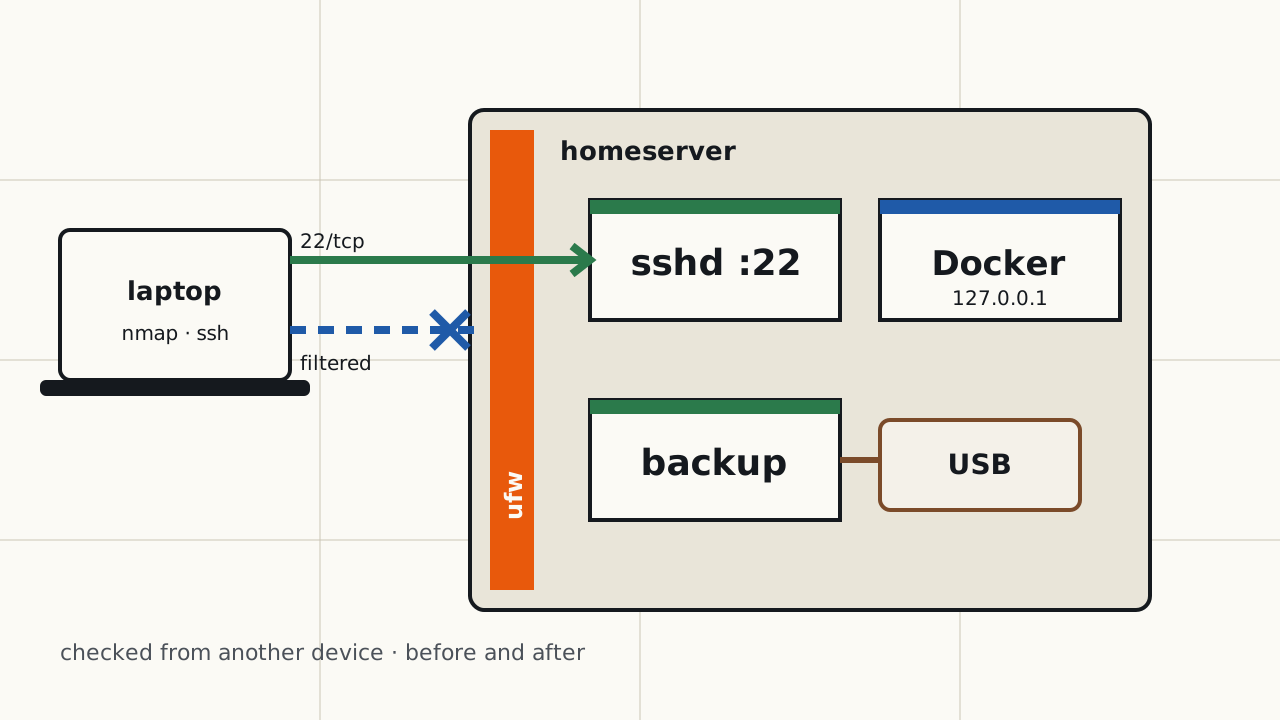
- Checks from another device: a full TCP port scan and SSH login attempts before and after every change.
- SSH by key only, and why the server’s own
sshd -Toutput is not proof. - ufw: deny incoming, SSH from the local network only, a scan before and after.
- A Docker port published without an address stays open despite ufw: shown on a test container, with the rule order on the server and the fix.
- Cloudflare Tunnel configuration and fixing file permissions.
- A backup script for a USB drive and a test restoring files and the n8n database from the copy.
- Manual updates with checks after a reboot.
- A results table and a repeat checklist.
The text marks what was verified on the server, what was verified from the laptop and what was not verified.
What’s in the archive
- PDF in English and Russian;
10-hardening.conf– sshd settings;config.ymlandcloudflared.service– tunnel configuration and service;home-backup.sh,home-backup.service,home-backup.timer– backup script and timer;home-backup.env.example– a template with placeholders for Telegram messages;commands.txt– all commands from the text, by section.
Who it is for
- Those who have or plan a home server and want to check from another device that it is actually closed, and to have a backup whose restore has been tested.
- You need in advance: a Debian server with Docker and a second device on the same local network with nmap and ssh.
- Tested on Debian 13. Not tested on Ubuntu or other systems.
Not included
- Monitoring.
- Automatic updates.
- Protecting the n8n panel behind the tunnel (Cloudflare Access, two-factor login).
- An off-site backup copy.
- fail2ban.
- A step-by-step Debian installation: described from my own account, not repeated while preparing the case.
What the case study covers
Checks from another device
A full TCP port scan and SSH login attempts from a laptop on the same network, before and after every change.
SSH by key only
A separate file in sshd_config.d, sshd -t, reload, and why sshd -T on the server is not enough.
ufw
Install, rules for SSH from the local network only, ufw status verbose, and a scan before and after. A note on a VPN on the scanning device.
Docker and ufw
A test container whose published port stays open despite ufw, the DNAT and FORWARD rules behind it, and the fix: publishing on 127.0.0.1.
Tunnel and permissions
config.yml and the systemd unit for cloudflared, and fixing group-writable permissions on the tunnel and backup files.
Backup and restore test
A backup script with rsync and pg_dump, a test run, and restoring files and the n8n database from the copy to temporary locations.
Manual updates
apt upgrade with checks of services, containers and ufw, a reboot for a new kernel, and a check from another device afterwards.