n8n with PostgreSQL in Docker Compose
How n8n runs with its own PostgreSQL database in Docker Compose on a home server behind a tunnel. Includes the configs, a from-scratch install, a backup checked by restoring it, and fixes for two problems found in a working setup.
- Format
- PDF EN + RU
- Files
- Configs and commands
- Stack
- n8n 2.25.6 · PostgreSQL 16
- Server
- Debian 13, Docker 29.5.3, Compose v5.1.4
What’s inside
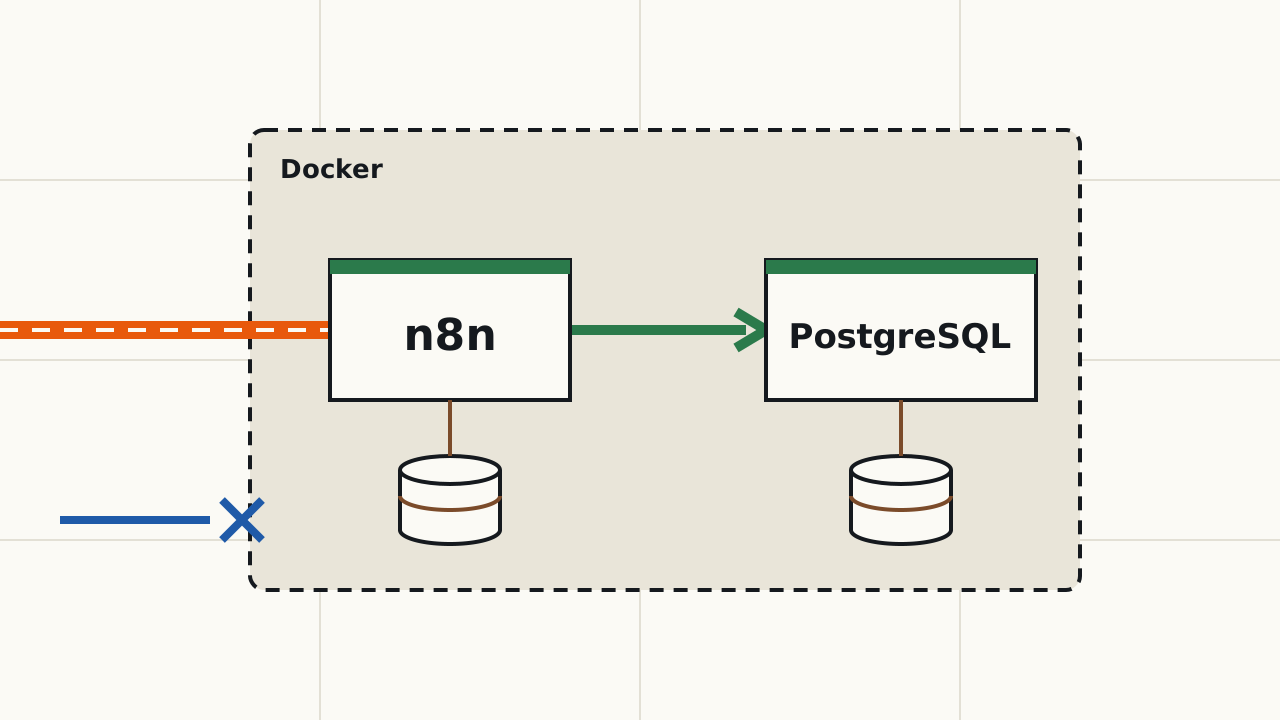
- A stack diagram and the key decisions: a pinned image version, the n8n port on localhost only, waiting for the database to be ready, an explicit credentials encryption key, secrets in
.env. - Installing the stack from scratch: the full
docker-compose.yml, an.envtemplate, startup and checks. - Backing up the database before changes and checking that the dump restores, in a temporary container.
- Two problems found in the working configuration: the image on the
latesttag and an n8n port open to the whole local network. How they were fixed and what the before-and-after checks showed. - What the n8n log lines that look like errors actually mean.
- A repeat checklist.
The text marks what was verified on a working server and what was not.
What’s in the archive
- PDF in English and Russian;
docker-compose.yml;env.example;commands.txt– all commands from the text, by section.
Who it is for
- Those who run n8n on their own server in Docker or plan to.
- You need in advance: a server with Docker and Docker Compose, a user in the
dockergroup,python3; for internet access, a working tunnel and a domain.
Not included
- Installing Debian and Docker.
- Setting up the Cloudflare tunnel and a firewall.
- Daily backup of the whole server.
- Ready-made n8n workflows.
- Updating the n8n version is described but was not carried out on the server and is marked as not verified in the text.
What the case study covers
Diagram and decisions
A stack diagram and six key decisions: a pinned image version, the port on localhost only, waiting for the database, an explicit encryption key, the restart policy and secrets in .env.
Install from scratch
The stack directory, the full docker-compose.yml, .env with permissions 600, startup and a check that n8n responds from inside its container.
Backup
A database dump with pg_dump, set -o pipefail, an archive check with gzip -t and permissions 600.
Restore check
Restoring the dump into a temporary PostgreSQL container and comparing the table count with the working database.
Pinning the version and port
Moving from the latest tag to 2.25.6 and publishing the n8n port on 127.0.0.1 only, on a running stack.
Before and after checks
Six commands used to record the stack state before and after the change, and a table of the results.
Checklist
Items for installation, access checks and preparing for any change to the stack.